Before you start
In the box
- The Smart Pill Reminder, lid on
- Voice memory card, already inside
- This guide
You also need
- A 5 V USB-C phone charger (or a power bank)
- A phone with Wi-Fi and a web browser
Please read
- It is a reminder. Follow your doctor's or pharmacist's instructions for every medicine.
- Put one dose in each slot. The reminder drops whatever is in the slot.
- Not sure you took a dose? Check History in the app before you take more.
- Indoors only. Keep it dry and away from heat and direct sun.
- Keep the reminder and the pills out of reach of young children.
- Switch off before cleaning. Wipe it with a dry cloth; never wash it.
How it works
At each dose time the carousel turns one slot. The dose falls through the hole in the deck into the cup, and the voice keeps reminding you until you tip the cup to its stop.
Quick start
- 1Switch on
- 2Connect phone
- 3Set times
- 4Fill slots 1–14
Details inside, steps 1 to 4.
Messages and fixes
What the screen says
- --:-- open appThe clock is not set (first use, or its coin cell is flat). Open the app on your phone.
- 08:00 Doses:14Time now and doses left. All is well.
- TAKE YOUR PILLS!A dose is in the cup. Take it now.
- Dose in the cup!The last dose was not taken. It is still in the cup.
- Please refillThe carousel is empty. Do step 4.
- Home switch?The carousel can't find slot H. Switch off, check nothing blocks the carousel and the lid sits flat, then switch on.
If something goes wrong
- No soundRaise the volume in Settings, then tap Test sound.
- The app won't openCheck the phone is on the PillReminder Wi-Fi and type 192.168.4.1. If the phone keeps leaving that network, turn mobile data off.
- The alarm won't stopPush the tab all the way to its stop, or tap I took my pills or Stop alarm in the app.
- After a power cutIt remembers its place, your times and the time of day. If the screen shows --:--, open the app once. If that keeps happening, the clock's CR2032 coin cell needs replacing.
Specifications
- Size
- 215 × 160 × 120 mm
- Power
- 5 V, USB-C
- Doses
- 14 (15 slots with H)
- Dose times
- Up to 4 a day
- Voice
- Arabic or English, volume 0–30
- App
- Built in, over Wi-Fi, no internet needed
A student science fair project. Designed in CAD and 3D-printed in PLA.
Smart Pill
Reminder
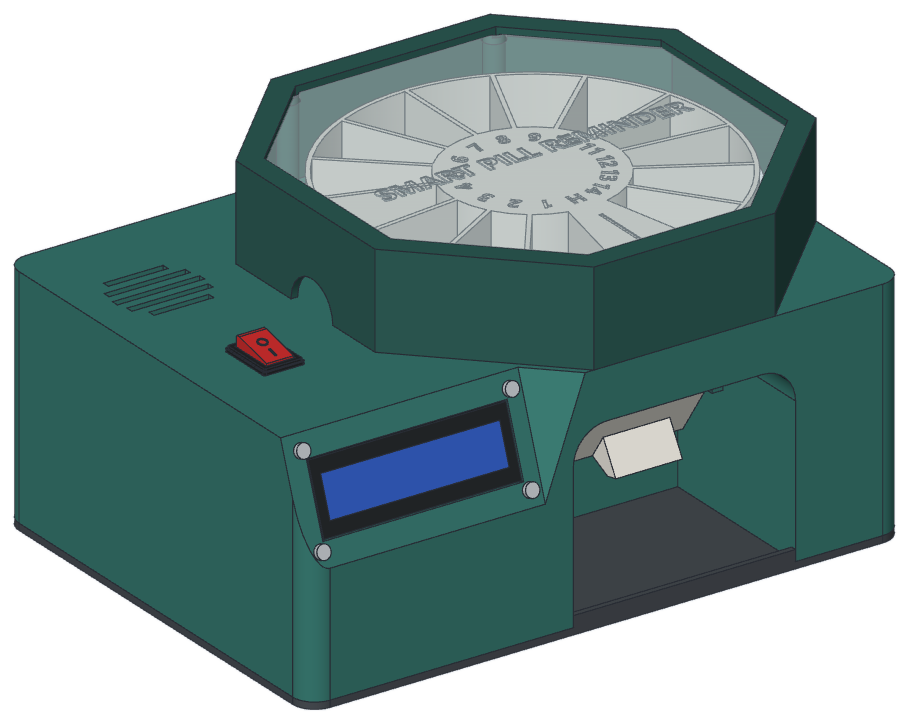
Reminds you on time, drops the right dose and knows when you have taken it.
- 14 doses, one per slot
- Up to 4 times a day
- Arabic or English voice
- Phone app, no internet needed
Please read this guide before first use.
Get to know it
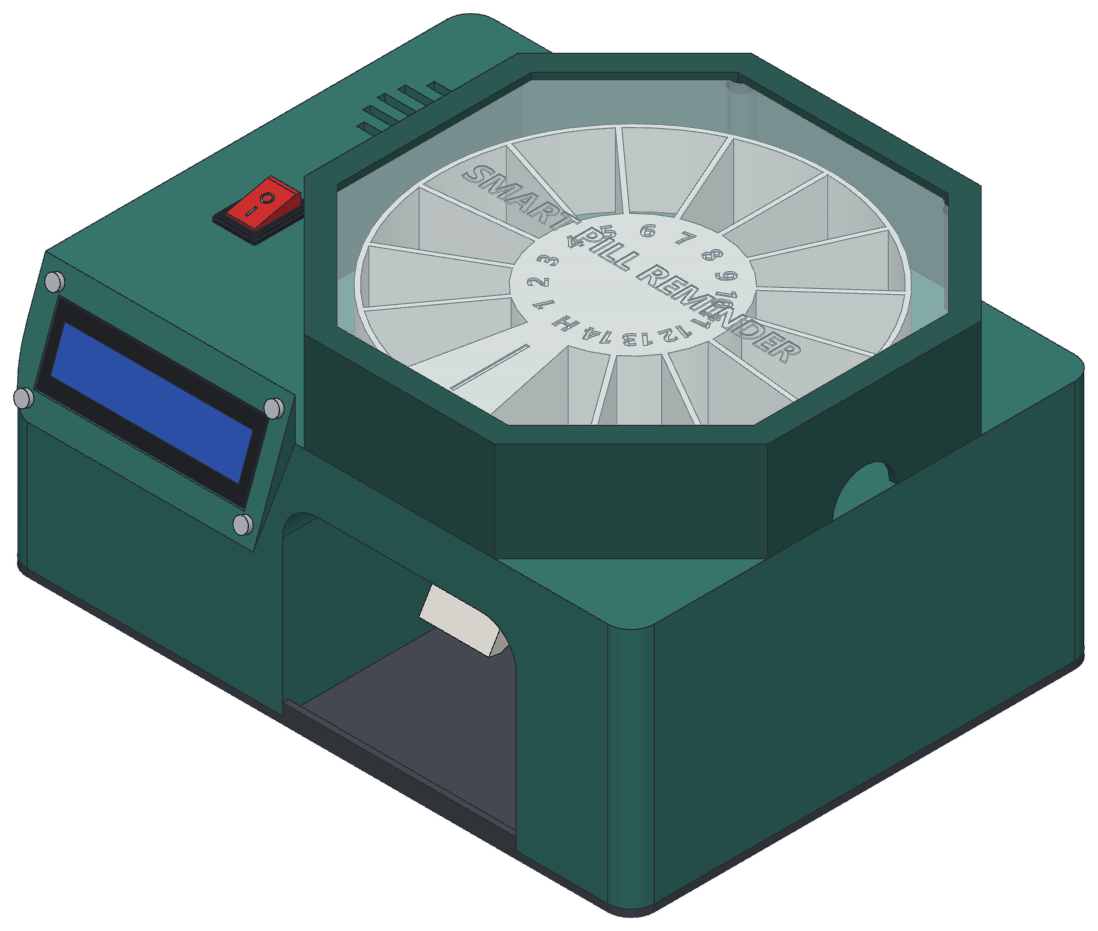 123456789
- 1Lid with clear windowLift it off to fill the slots.
- 2Finger notch, each sideHold the lid here to lift it.
- 3CarouselSlots 1 to 14, one dose in each.
- 4Slot HHas a roof. Always stays empty.
- 5SpeakerSpeaks the reminder.
- 6Power switchTurns it on and off.
- 7ScreenClock, doses left and messages.
- 8CupThe dose drops in here. A small finger tab hangs under it.
- 9Hand openingSlide your hand in here, palm up.
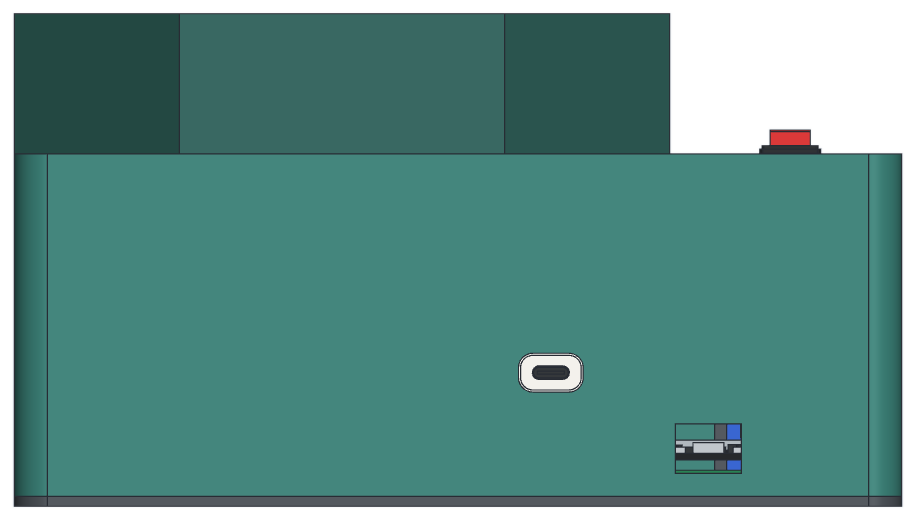 1011
At the back
- 10USB-C power socket5 V in.
- 11Service portFor updates only.
Stand it on a flat table with the hand opening facing you, near a socket.
Set it up
1Switch on
Plug a 5 V USB-C charger into the socket at the back and switch on. The screen shows Smart Pill Reminder and the voice says “Pill reminder is ready.”
2Connect your phone
On your phone, join this Wi-Fi network, then type the address into the browser:
PillReminderPasswordpills1234Address192.168.4.1Set up on your home Wi-Fi instead? Open pillreminder.local or the numbers the screen shows.
Use the browser's Add to Home screen so the app is one tap away.
3Set your times
Opening the app sets the clock. Tap عربي at the top for Arabic. In Schedule, switch on up to 4 times and tap Save (Morning 08:00 and Evening 20:00 are already on). In Settings, choose the voice language and volume.
4Fill the carousel
In Settings › Refill the carousel, tap Go to H. Lift the lid by its notches and put one dose in each slot, 1 to 14, in order. Put the lid back and tap Refill done.
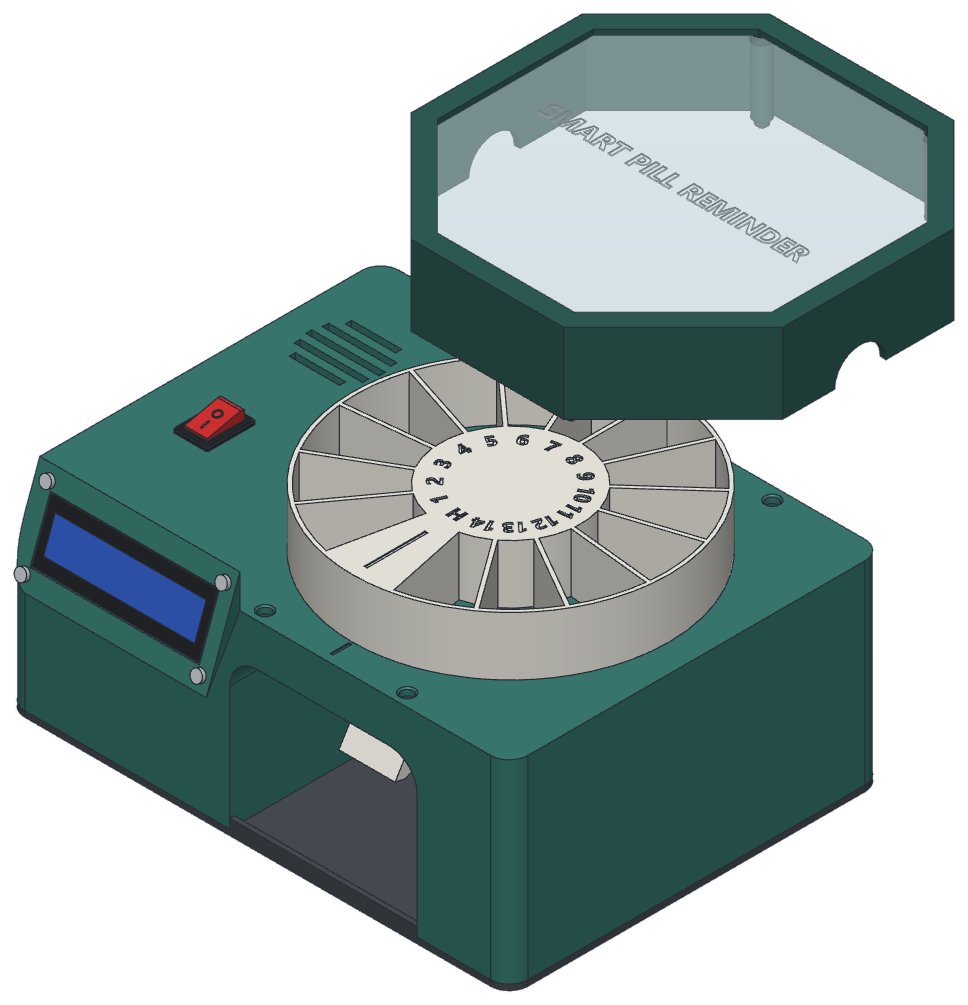 1–14H
- 1–14One dose in each slot
- HHas a roof: leave it empty
Taking your pills
5When it's time
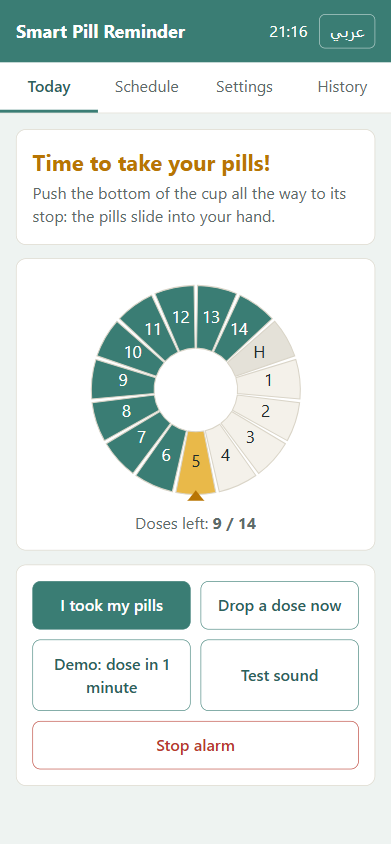
The carousel turns one slot and the dose drops into the cup. The voice says “Time for your medicine” and keeps reminding you every 30 seconds, the screen flashes and the app shows the alert.
6Take your pills
The voice says “Thank you” and the alarm stops. It stops only at the stop, when the cup is empty.
Good to know
- Took the pills out with your fingers? Tap I took my pills in the app.
- Not taken in 30 minutes: the dose is marked missed. The next dose waits until the cup is empty.
- After slot 14 the carousel goes back to H and asks for a refill. Do step 4 again.
- History in the app lists every dose: dropped, taken or missed.
- Family alerts: type a topic name in Settings, then install the free ntfy app on the family's phones and subscribe to the same name. Needs home Wi-Fi with internet.