Printالطباعة
5 files, one per filament colour, sliced for the Bambu Lab X1 Carbon with a 0.4 mm nozzle, Bambu PLA Basic and the "0.20mm Standard" profile, on the Textured PEI Plate at 55 °C. Each one is ready to print as it is.
٥ ملفات، ملف لكل لون خيط، مقطّعة لطابعة Bambu Lab X1 Carbon بفوهة ٠٫٤ مم وخيط Bambu PLA Basic وإعداد «0.20mm Standard»، على لوح Textured PEI Plate بحرارة ٥٥ درجة مئوية. كل ملف جاهز للطباعة كما هو.
Colour platesألواح الألوان
Times and weights are read from the sliced files themselves.
الأوقات والأوزان مأخوذة من الملفات المقطّعة نفسها.
| Fileالملف | Colourاللون | Partsالقطع | Timeالمدة | PLA | Supportsالدعامات | Downloadتنزيل |
|---|---|---|---|---|---|---|
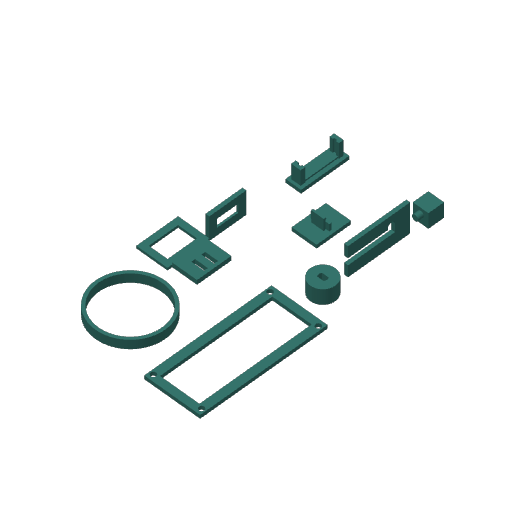 0_FitTest.gcode.3mf |
Tealأخضر مزرق | Fit testقطعة اختبار المقاسات (print first) (اطبعه أولاً) | 40 min٤٠ دقيقة | 14 g١٤ غ | Tree supports, in the hinge-slot sample onlyدعامات شجرية، في عيّنة شق المفصل فقط | 0.5 MB٠٫٥ ميغابايت |
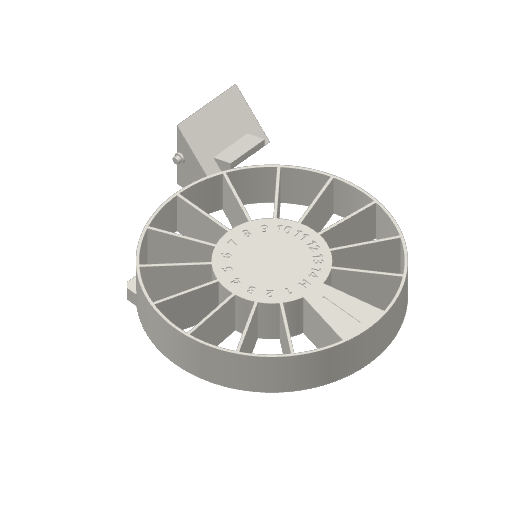 1_White_Carousel+Cup.gcode.3mf |
Whiteأبيض | Carousel + Cupالقرص الدوّار والكوب | 1 h 46 min١ س ٤٦ د | 79 g٧٩ غ | Noneلا يوجد | 0.8 MB٠٫٨ ميغابايت |
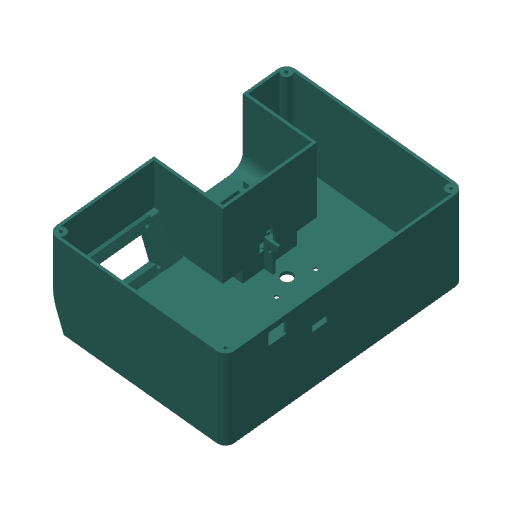 2_Teal_Base.gcode.3mf |
Tealأخضر مزرق | Baseالقاعدة | 6 h 19 min٦ س ١٩ د | 268 g٢٦٨ غ | Tree supports, under the hand opening's ceiling and the LCD window's lower edgeدعامات شجرية، تحت سقف فتحة اليد والحافة السفلى لنافذة الشاشة | 3.6 MB٣٫٦ ميغابايت |
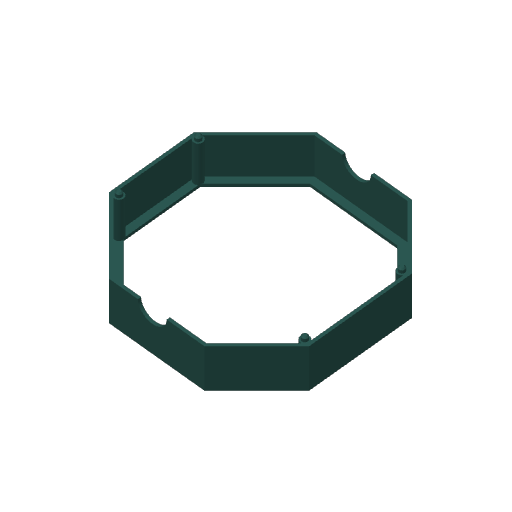 3_DarkTeal_Lid.gcode.3mf |
Dark tealأخضر مزرق داكن | Lid frameإطار الغطاء | 1 h 24 min١ س ٢٤ د | 53 g٥٣ غ | Noneلا يوجد | 0.5 MB٠٫٥ ميغابايت |
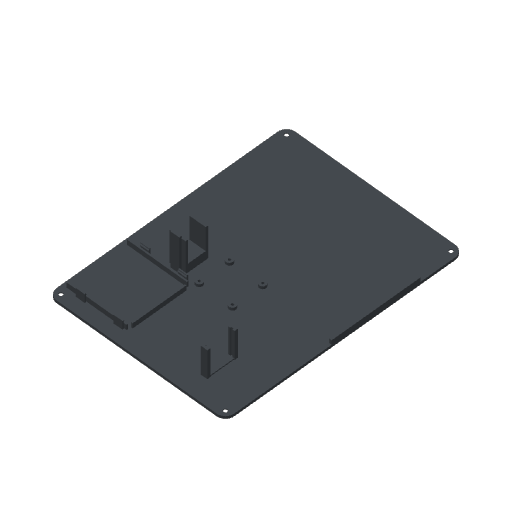 4_Grey_Plate.gcode.3mf |
Greyرمادي | Bottom plateاللوح السفلي | 1 h 55 min١ س ٥٥ د | 84 g٨٤ غ | Noneلا يوجد | 0.3 MB٠٫٣ ميغابايت |
| All platesكل الألواح | 12 h 4 min١٢ س ٤ د | 497 g٤٩٧ غ | ZIP 5.6 MB٥٫٦ ميغابايت | |||
Filament you needالخيط الذي تحتاجه
Bambu PLA Basic. Each plate uses one spool from start to finish.
خيط Bambu PLA Basic. كل لوح يستخدم بكرة واحدة من البداية إلى النهاية.
| Colourاللون | PLA | Platesالألواح |
|---|---|---|
| Tealأخضر مزرق | 281 g٢٨١ غ | 0, 2٠، ٢ |
| Whiteأبيض | 79 g٧٩ غ | 1١ |
| Dark tealأخضر مزرق داكن | 53 g٥٣ غ | 3٣ |
| Greyرمادي | 84 g٨٤ غ | 4٤ |
How to printطريقة الطباعة
- Print the fit test first (40 min). It checks the holes and slots that go into the Base: the LCD bezel, the motor shaft, the hinge pin, the speaker ring, the switches, the USB-C socket and the board clips. The checklist is in the build guide's Print section. If something does not fit, change that number in SolidCraft before you print the big parts.
- اطبع قطعة اختبار المقاسات أولاً (٤٠ دقيقة). تختبر الثقوب والشقوق الموجودة في القاعدة: إطار الشاشة، وعمود المحرك، ومسمار المفصل، وحلقة السمّاعة، والمفاتيح، ومقبس USB-C، ومشابك اللوحات. قائمة الفحص في قسم الطباعة في دليل البناء. إذا لم تركب قطعة فغيّر ذلك الرقم في SolidCraft قبل طباعة القطع الكبيرة.
- Put the Textured PEI Plate on the printer. The files are set for it at 55 °C, and the X1 Carbon checks the plate with its camera before it starts.
- ضع لوح Textured PEI Plate على الطابعة. الملفات مضبوطة عليه بحرارة ٥٥ درجة مئوية، وتتحقق الطابعة من اللوح بالكاميرا قبل أن تبدأ.
- Load the colour in the file's name. Each file uses one spool, so a plate prints with no colour changes. With an AMS, pick that spool's slot when you send the print.
- حمّل الخيط باللون المكتوب في اسم الملف. كل ملف يستخدم بكرة واحدة، فيُطبع اللوح دون تبديل ألوان. إذا كان لديك AMS فاختر خانة تلك البكرة عند إرسال الطباعة.
- Open the
.gcode.3mffile in Bambu Studio. It is already sliced, so press Print plate. Or copy it to the printer's microSD card and start it from the printer's screen. - افتح ملف
.gcode.3mfفي Bambu Studio. الملف مقطّع وجاهز، فاضغط Print plate. أو انسخه إلى بطاقة microSD في الطابعة وابدأ الطباعة من شاشتها. - Let the plate cool, then flex it to free the parts. On the Base and the fit test, snap off the tree supports and clean up the edges they touched.
- اترك اللوح يبرد ثم اثنه قليلاً لتنفصل القطع. في القاعدة وقطعة الاختبار، اكسر الدعامات الشجرية ونظّف الحواف التي كانت تلمسها.
- Cut the lid's window from 3 mm clear acrylic with the laser file. Then carry on with the build guide from Wire.
- قُصّ نافذة الغطاء من الأكريليك الشفاف بسماكة ٣ مم باستخدام ملف الليزر. ثم تابع دليل البناء من قسم التوصيل.
For another printer or slicer, the single parts are on the Files page as STL and 3MF, already turned the way they print.
لطابعة أو برنامج تقطيع آخر، القطع المنفردة موجودة في صفحة الملفات بصيغتي STL و3MF، وهي مقلوبة على الوضع الذي تُطبع به.